How to Build an Effective Employee Onboarding Program for Enterprise Software
Employee onboarding for enterprise software is one of the most critical - and most frequently mishandled - processes in large organizations. A poorly onboarded employee takes 8-12 weeks to reach full productivity, generates a disproportionate number of support tickets, and is more likely to develop workaround habits that persist for years.
This guide covers how to build an effective onboarding program that cuts time-to-proficiency by half or more.
The Cost of Poor Onboarding
Every week an employee spends struggling with enterprise software is a week of lost productivity. For a company onboarding 500 employees per year onto a new Workday or SAP S/4HANA deployment, the math is significant:
- 8 extra weeks × 40 hours × $45/hour × 500 employees = $7.2 million in lost productivity from slow onboarding alone
- Support tickets from new hires cost 3x more than those from experienced users
- Employees onboarded without guided walkthroughs are 2.4x more likely to develop workaround habits
Building the Onboarding Program
Step 1: Map Critical Day-1 Workflows
Not every feature needs to be covered on day one. Identify the 5-10 workflows that every new employee must complete in their first week: logging in, setting up their profile, navigating the main dashboard, submitting a time sheet, filing an expense report.
Step 2: Create Role-Based Walkthrough Sequences
Different roles interact with different parts of the system. Build segmented walkthrough paths for each major user group. A sales rep in Salesforce needs pipeline management guidance; an HR coordinator in Workday needs benefits administration walkthroughs.
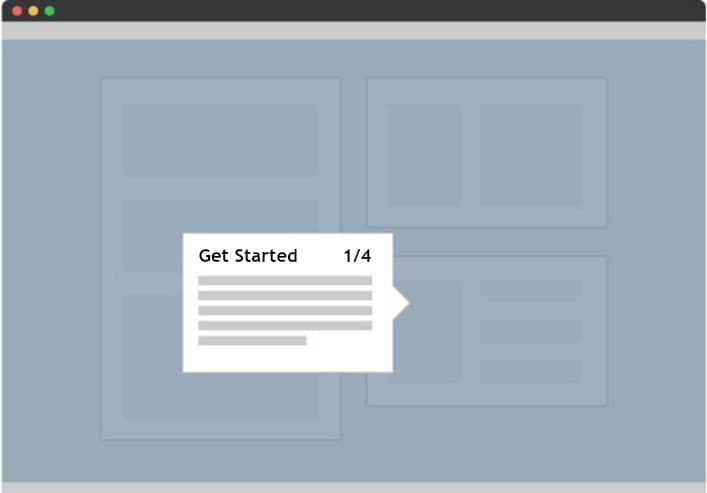
Step 3: Layer Guidance Progressively
Don't overwhelm new users with everything at once. Structure guidance in tiers:
- Week 1: Navigation basics, essential workflows, help resources
- Week 2-3: Role-specific processes, intermediate features
- Week 4+: Advanced features, reporting, optimization
Step 4: Include Audio and Voice Guidance
Adding real human voice narration to walkthroughs improves completion rates by 25-40%. Audio guidance is especially effective for complex, multi-step processes where users need to keep their eyes on the screen.
Step 5: Provide a Self-Service Safety Net
After the initial onboarding period, users need ongoing access to guidance. Deploy a search bar widget within the application where users can find and replay walkthroughs at any time.
Step 6: Measure and Iterate
Track onboarding metrics - walkthrough completion rates, time-to-first-independent-task, support ticket volume from new hires - and use the data to refine your program.
Onboarding Metrics That Matter
| Metric | Target | How to Measure |
|---|---|---|
| Time-to-proficiency | < 4 weeks | Date of first independent task completion |
| Walkthrough completion rate | > 85% | Adoption analytics dashboard |
| New hire support tickets (first 30 days) | < 3 per user | Help desk reporting |
| New hire satisfaction score | > 4.2/5 | Post-onboarding survey |
| 90-day retention rate | > 92% | HRIS reporting |
Key insight: The best onboarding programs treat the first 90 days as a structured journey, not a one-time event. Progressive guidance, role-based segmentation, and continuous measurement are the three pillars that separate effective onboarding from the traditional "sink or swim" approach.